Building Message Alert: from one message format to any
How my iOS alert app grew from a Shortcuts experiment into a TestFlight beta, and why v2 lets people build a schema for their own alert messages.

Juho Torkkeli
· 8 min read
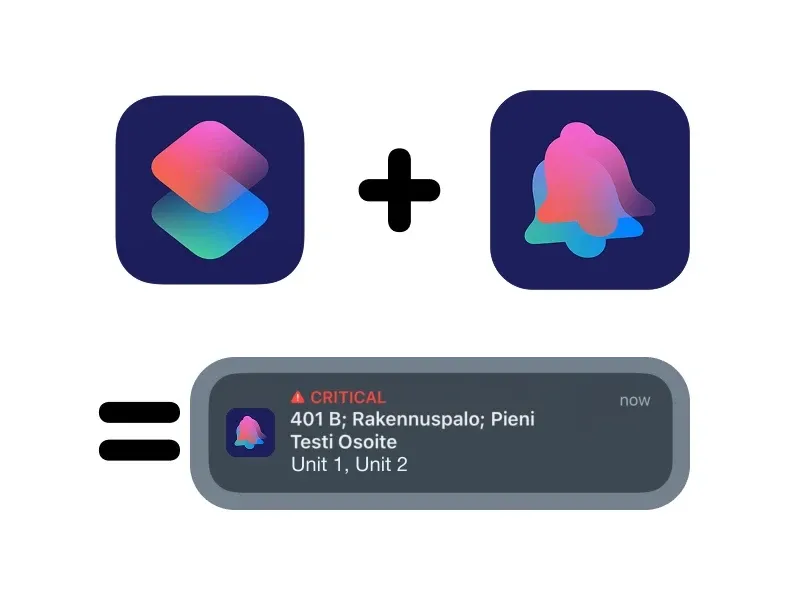
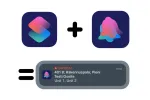
In my volunteer fire brigade, alerts reach my phone as text messages. Message Alert is the iOS app I built so those texts get the attention they need: a Shortcuts automation hands the alert text to the app, and the app turns it into a Critical Alert with the address on a map.
It started as a Shortcuts and Home Assistant experiment. It’s on TestFlight, where four other people use it besides me. Now I’m rebuilding it as v2 so it works with any alert message, not just ours. This is how it got here.
Why a text message wasn’t enough
Alerts can come as a text message or as an automated phone call. I prefer the text: on a call I hear the address once, but a text stays on screen and I can check the details again.
The catch is noticing it. My old setup was Emergency Bypass on the alert sender’s contact, plus a distinct tone. It works, but silencing it for a while means opening the contact’s settings and turning Emergency Bypass off by hand. That was easy to forget, and I usually only fixed it after the next alert. My Apple Watch also ignored the custom tone and played the default notification sound.
What I wanted was Focus modes deciding whether an alert makes a sound, and Apple’s Critical Alerts, which sound even when the phone is on silent or in a Focus. The missing piece was the trigger. How do you get a Critical Alert out of an incoming text message?
Shortcuts does the hard part
The answer was the Shortcuts app. A personal automation can run when a message arrives from a specific contact, optionally only when it contains a keyword. That gave me the trigger, and it solved the Focus problem as well: an automation can be set to run only in certain Focus modes, or to skip some.
This is also why the app is iOS-only so far. On iOS, the OS intercepts the message and hands it to the automation, so my app never has to read incoming messages itself. On Android, that part would be my job. Now that I have some experience with messaging on the Android side, an Android version is on the list.
From Home Assistant to an App Intent
Shortcuts has been the trigger in every version since. What changed was who sends the notification.
The first version was a proof of concept. The automation called my Home Assistant server, and Home Assistant sent the notification. It proved the idea, but it only worked while my home network was up, which is not what you want from an alert.
So I built a native app with Swift and SwiftUI. It exposes an App Intent, which shows up as an action in Shortcuts. The automation passes the message text to that action, and the app posts a local notification. No server in between.
The first native version, from November 2024, already read the message. It mapped the task code to a description (401 is a small building fire), picked out which of our units were dispatched, and opened a MapKit map with the driving time and a button that starts navigation. One of the first fixes was making a tap on the notification open the alert even when the app wasn’t running.
It still posted normal notifications, though. Critical Alerts need a special entitlement from Apple. I applied, Apple approved it within the same week, and in February 2025 the notifications moved to the critical interruption level with a critical sound.
Testing without waiting for a fire
You can’t test an alert app by waiting for real alerts. Two things made testing easy.
I can run the Shortcut by hand, so testing the parsing is quick. For the full chain, I asked a friend to text me an example message. It arrives and runs the automation the same way a real dispatch message does.
A fresh repository for v1
In January 2026 I started v1 in a fresh repository instead of continuing the prototype. The old history had things I never want to publish, like real addresses. If the code ever goes public, I want to be 100% sure nothing can leak, so I started from a clean history.
v1 is a proper app rather than a prototype. Alerts are stored on the device with SwiftData, old alerts can be re-parsed when the parser improves, and the UI is in Finnish. The parser was still written for our message format only. For example, the number of detail fields varies from message to message, so the parser can’t rely on fixed positions and has to find where the unit list starts.
When it mattered
It has worked when it mattered, especially after one addition. There’s one area we get alerts for where Apple Maps and Google Maps can’t navigate to the right place. Earlier this year I added a custom address parser for that area, which uses building data from OpenStreetMap instead of the map apps’ geocoding.
On a real alert, it took us to the right spot without anyone looking through paper maps.
v2: any message format
v1 only understands our message format. The task codes, our units and the parsing logic are all hardcoded, so anyone else would need their own version of the app.
I had been thinking about a general version for about a year, and every now and then I wrote down notes on how things should work. The goal for v2 is simple to say: the app works with any alert message, and users build the schema for their own messages themselves.
Message Alert is one of the apps I’ve been building with Claude as a small side project, so I honestly haven’t had time to learn all the theory behind it myself. For v2, I gave Claude all my notes, and it made a solid starting point to improve on.
The first versions weren’t good, though. The mental model was too complicated, and I don’t think Claude understood my short notes correctly. It took a few iterations to reach the current model.
Getting the model right
The first draft put everything into one “Alert Profile”: the parsing steps, lookup tables, how the alert is displayed, the delivery rules, the sounds and the map settings. On-call modes sat on top as a separate feature.
The first fix was the name. “Profile” didn’t say what it’s for, so it became a schema. The bigger fix was splitting it into three blocks, each with one job:
- Schema reads a message: plain text in, named fields out (code, address, units and so on).
- Notification decides when and how loud. It uses one schema, and its If / Else if / Else rules pick Critical, Time-Sensitive, Normal or Silent, and the sound.
- Filter is a global override while it’s on, like “on call: only alerts for my unit are Critical, everything else Normal”. One filter is on at a time. I can switch it from Control Center, the Lock Screen or a Set Filter action in Shortcuts, which can also turn it off at a set time.
The split follows who owns what. A schema is the same for everyone who receives that message format, so schemas are what people share, as files. A notification is personal: two firefighters can use the same schema with different notifications. Filters are set up once and apply to every notification, so nobody has to copy on-call logic into each one.
The Shortcut got simpler too. It only moves data: it picks a notification and passes the message and, optionally, the name of the current Focus. The app decides everything else.
The engine lives in a local Swift package, so its tests run with swift test without a simulator. There are 123 of them right now. The v1 parser became the first schema, and it passes the 15 test messages written for v1. A message that doesn’t match its schema still alerts: by default, it comes through as Critical with the raw text, so a format change can’t quietly swallow an alert.
The hard part: a builder for people who don’t code
The schema builder works like Shortcuts: a list of steps, with 24 step types, and each step shows its result live on a sample message. There’s also a wizard where you paste a message, tap its pieces and name them. Samples double as tests, and when you import someone else’s schema, you see its test results before you use it.
Making that usable for someone who doesn’t code, or doesn’t know how programming languages work, is the hardest problem in v2. I’ll probably use Apple’s on-device model to help people get started. For now, that’s an idea, not a feature.
Where it stands
v2 is in progress, and it hasn’t been through its checks on real devices yet. Still to check on a real iPhone:
- the message automation runs the app’s action without asking, even when the app is closed
- imported custom sounds play as critical sounds
- switching a filter from Control Center reaches the next alert
After that comes onboarding. iOS doesn’t let apps create automations, so the app has to walk people through setting one up. Then comes the paid Pro tier for power users (that’s the “Pro” in the project’s name). The app icon needs a rework too: it’s fine for a proof of concept, but not for a production app.
iOS can delay Shortcuts automations, so Message Alert is an unofficial backup, not a replacement for the official alerting system.